Scan a page.
Get the text
A handwritten lecture, a contract, an instruction leaflet. Photograph it, and the note writes itself.
Three seconds a page
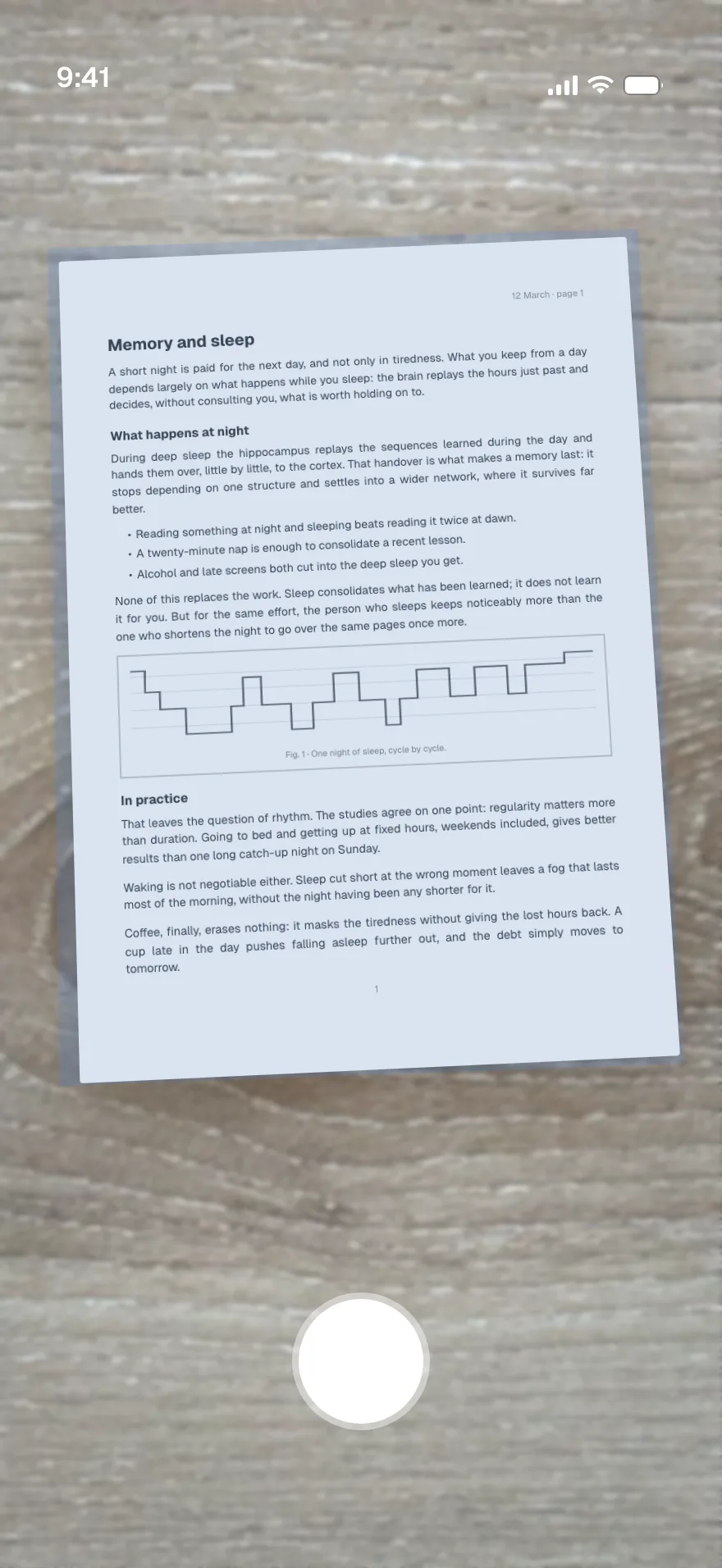
- 1
Photograph
The camera finds the edges of the page and straightens the shot for you. Keep going, page after page.
- 2
The text comes out
Handwriting included. Headings, lists and tables keep their shape.
- 3
The note writes itself
Summary, key points, questions worth digging into. Edit it, share it, ask it anything.
What you can scan
-
Handwritten notes
Your lectures, a notebook, a whiteboard you photographed.
-
Printed documents
Contract, lease, quote, letter from the administration.
-
Book pages
A chapter, an article, a bibliography.
-
Leaflets and labels
Instructions, a prescription, what is in a product.
Common questions
Does it read handwriting?
Yes. Legible handwriting comes through well, crossings-out and margin notes included. A page that is too blurred or too skewed is flagged so you can retake it before the note is created.
How many pages per document?
As many as you like. Pages stack into the same scan and become one note, in the order you took them. You can drop one or retake it before you confirm.
Which languages?
The text comes out in whatever language the document is written in. The note itself is written in your phone's language, and you can ask for a translation afterwards.
What happens to my photos?
They are sent encrypted and hosted in France. You will find them in the note, page by page, and you can delete them whenever you want.
Can I ask questions about a scanned document?
Yes, the same as any other note. Ask for a date in a contract, a summary of a chapter, flashcards from a lecture, or the text of one particular page.
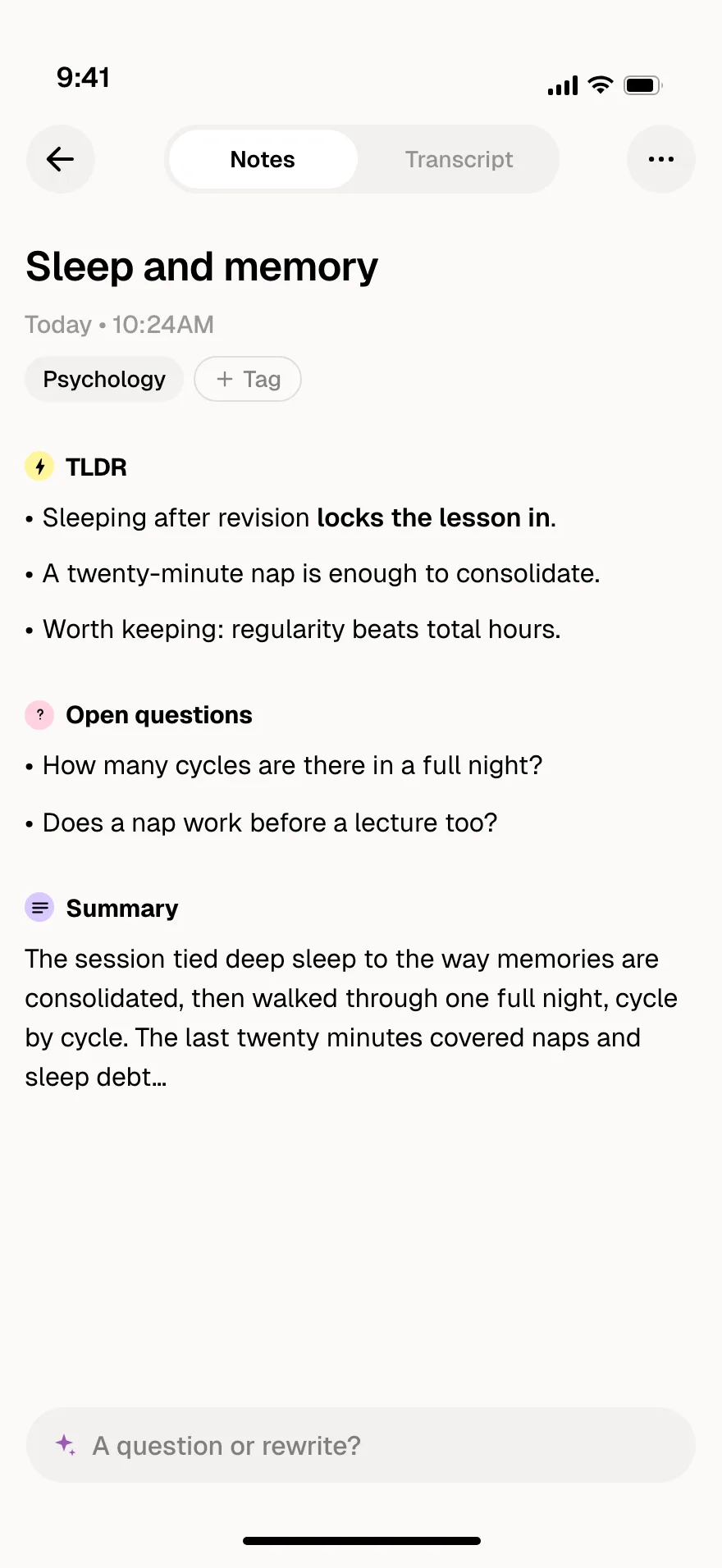
Your page becomes a note
Key points, open questions, the summary. And the full text, page by page.
Quizzes, flashcards, tables:
ask for any format
Your notes turn into living material. Ask a question, generate a quiz to study, a flashcard set, a table or a chart. You pick the format.
Anything becomes a note
Record
A lecture, a meeting, an idea on the way out. Hit record and listen, the note writes itself.
Import a file
Voice memos, videos, PDFs, photos, Word and PowerPoint. What you already have becomes a note.
Scan a document
Photograph a page, even a handwritten one. The text comes out clean, page after page.
YouTube videos
Paste a link and get structured notes in seconds. Lectures, talks, tutorials.
Guides on the topic
- Digitize handwritten lecture notes without retyping themYour lectures live in notebooks and your revision happens on your phone. Here is how to bridge the two by photographing your pages, without losing an evening to retyping.
- Turn a photo into text: the method that worksYou photographed a page and you want the text. Here is how to get clean text out of it, handwriting included, and what to do with it afterwards.
Stop writing notes
by hand
Record, scan, import.
Cosmonote does the rest.